Industry News · OEM & Procurement
Medical Device Quick Start Guide Design: An OEM Workflow for Clear User Instructions
Plan a medical device quick start guide that aligns with the controlled IFU, package contents, user workflow, review ownership, and version control.

Preface
A medical device quick start guide can help a user recognize package contents, complete initial setup, and find the full instructions. It should not become an uncontrolled substitute for the instructions for use or compress away warnings, limitations, and steps that are important to safe operation.
For OEM and private-label projects, the most reliable workflow starts with the approved device configuration and controlled source documents. The team then designs a concise visual aid, reviews it with the same discipline as other labeling, and locks the correct revision into the package handoff.
01
Define the role of the quick start guide
The project team should agree whether the quick guide supports unpacking, component identification, initial setup, a basic operating sequence, cleaning entry points, or support contact routing. A single sheet rarely needs to reproduce every section of the full manual, but it must not contradict or weaken the controlled content.
Human-factors guidance treats packaging, labeling, and training materials as parts of the user interface. That makes the guide a usability deliverable, not decorative marketing collateral. Its scope should follow the intended users, use environment, and identified use-related risks for the actual device.
02
Freeze the exact device and package configuration
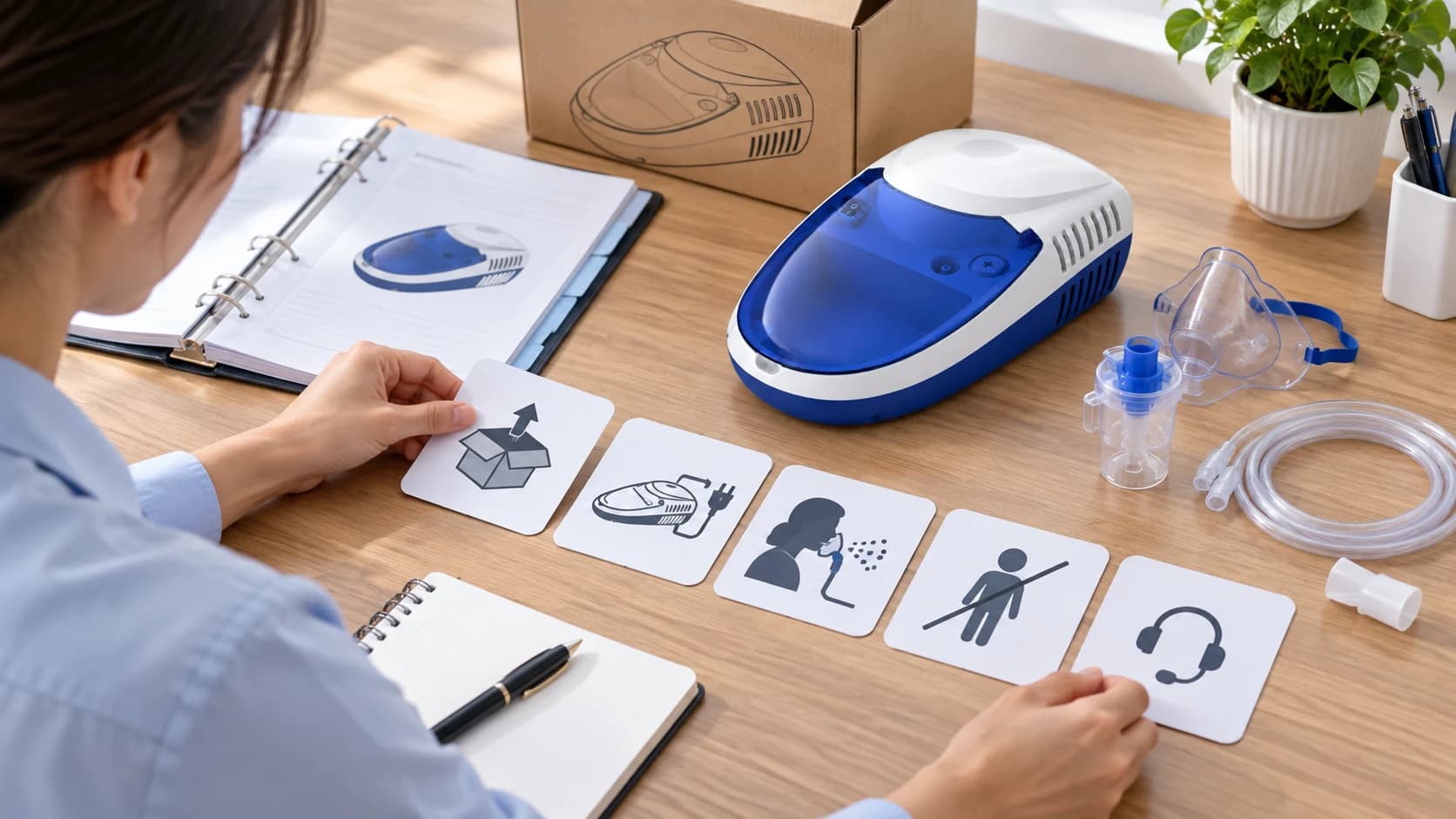
Before layout begins, record the model, accessories, power arrangement, package contents, manual revision, destination market, languages, and responsible reviewers. Illustrations based on a different housing, accessory set, or carton configuration can create confusion even when the written steps look correct.
For an OEM buyer, this is also an artwork-control checkpoint. The sample device, photography reference, package dieline, manual, label, and quick guide should all identify the same approved configuration before final production files are released.

03
Map the minimum user journey
A useful storyboard begins with the user's first contact with the package. Typical modules may include verify contents, inspect the device, prepare the device as instructed, complete the initial operating sequence, stop or clean as directed, and find the full instructions or support route. The exact modules must come from the controlled source documents.
Sequence matters. A visually attractive card that moves a later step forward or omits a prerequisite can change how the user approaches the device. Reviewers should compare every panel with the corresponding manual section and applicable risk controls.
Middle Article Support
Review a device workflow reference
Use the AXD-NB301 product reference to identify device form, package-content, instruction, and storyboard questions for an OEM discussion.
View AXD-NB30104
Use visuals to clarify, not invent
Illustrations should preserve the real product form, control locations, accessories, connection points, and orientation. Simplification is useful only when it does not create a new part, imply an unsupported feature, or make the user perform the wrong action.
Avoid tiny screenshots of a dense manual, generic stock devices, decorative arrows with no confirmed meaning, and AI-generated text. A clean step image, a short verified label, and sufficient white space are more useful than a crowded panel.
05
Keep the quick guide subordinate to the IFU
The guide should clearly direct the user to the full instructions for complete warnings, indications, contraindications, maintenance, troubleshooting, and other controlled information that does not fit on a brief card. It should never imply that reading the quick guide alone is sufficient when the full instructions are required.
AXD-NB301 and AXD-202 are current AXDCARE product references used here to show how different device forms need different visual sequences. This article does not define their final quick-guide content, package configuration, claims, approvals, or regulatory status. Those details require project-specific document review.
06
Run cross-functional review and version control
A controlled approval path should identify who checks product identity, technical accuracy, language, usability, labeling alignment, artwork, and production release. Comments should be resolved against a named source revision rather than through informal chat screenshots or detached image files.
After approval, archive the source, review record, released artwork, language versions, and package mapping. If the device, accessory set, label, or manual changes, assess whether the quick guide must be revised before the next production handoff.
07
Reference sources
FDA Human Factors and Medical Devices: https://www.fda.gov/medical-devices/device-advice-comprehensive-regulatory-assistance/human-factors-and-medical-devices
FDA Applying Human Factors and Usability Engineering to Medical Devices guidance: https://www.fda.gov/regulatory-information/search-fda-guidance-documents/applying-human-factors-and-usability-engineering-medical-devices
FDA General Device Labeling Requirements: https://www.fda.gov/medical-devices/device-labeling/general-device-labeling-requirements
Summary
A strong medical device quick start guide is concise because its scope is controlled, not because important content was removed casually. Model identity, user journey, visual accuracy, IFU alignment, review ownership, and version control keep the aid useful and defensible.
AXDCARE can discuss project-specific device samples, package contents, manual inputs, visual references, language needs, and artwork-review milestones with qualified OEM and private-label buyers.
Related Links
Product and Sourcing Pages
Frequently Asked Questions
Buyer Questions
Can a quick start guide replace the medical device IFU?+
No. It is a concise aid and should remain aligned with and subordinate to the controlled instructions for use.
When should quick-start artwork begin?+
After the exact model, package contents, source instructions, target market, languages, and review ownership are sufficiently defined.
Can the guide use generic product illustrations?+
Only when reviewers confirm they cannot mislead the user. Model-specific form, controls, accessories, and orientation should normally match the released configuration.
What should trigger a quick-guide revision?+
Changes to the device, accessories, package contents, labels, controlled instructions, languages, or risk controls should trigger a documented impact review.
End Article Support
Define your quick-guide handoff
Share the model, market, language, package contents, source-document status, and artwork timeline for a focused project review.
Contact AXDCARERelated Reading